


Your hörbert must have the latest firmware version (Butterfly2) installed. The model hörbert 3.0 already has this firmware version or a newer one. Here’s the link to the -> Instructions for a firmware update.
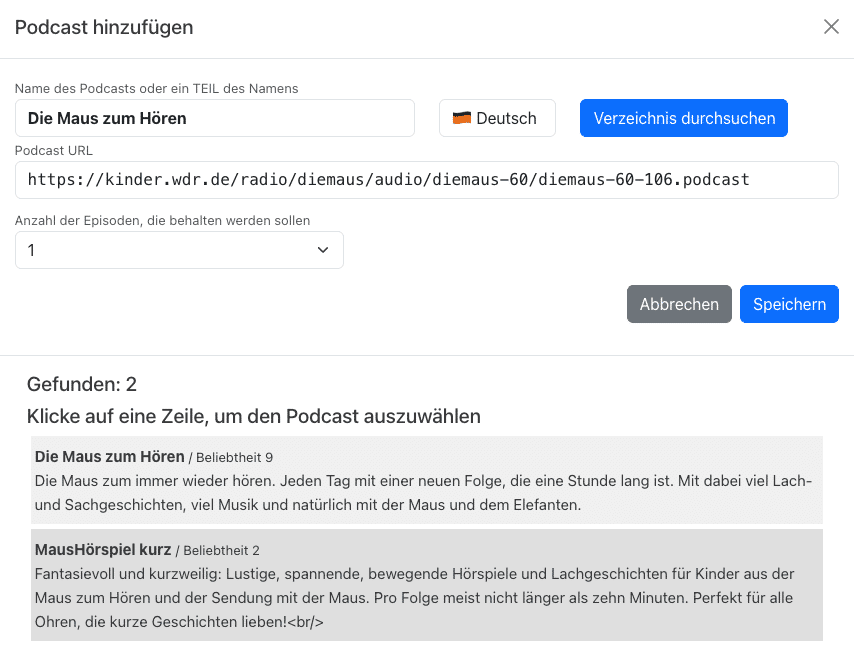

We wish you lots of fun with your favourite podcasts!
People who use hörbert, especially small children who often press all the buttons just for fun, must not end up in hörbert’s SET mode by accident. That’s why we’ve come up with a method that can’t be triggered “by mistake”.
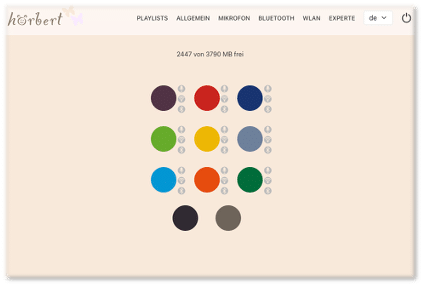
In the Browser Set Mode you can now make all the settings for hörbert. For example:
activate/deactivate WiFi, Bluetooth and the voice microphone, edit playlists, add podcasts or web radio stations, and much more.
Here you’ll find an overview of the options in the Browser Set Mode: BLOG ARTICLE BROWSER SET MODE
Requirement: You have a hörbert model without a toggle switch.
If you want to upgrade your hörbert 2011 (old model with toggle switch), order the Upgrade Kit for self-retrofitting now, or have hörbert upgraded by us in our workshop.
How you perform a firmware update depends on which firmware is running on your hörbert. If your firmware is older than November 2024, you must use the manual method (further below). It’s most convenient if your hörbert already has the “Butterfly” firmware or newer.
Start the Browser Set Mode (click here to get to the explanatory video)
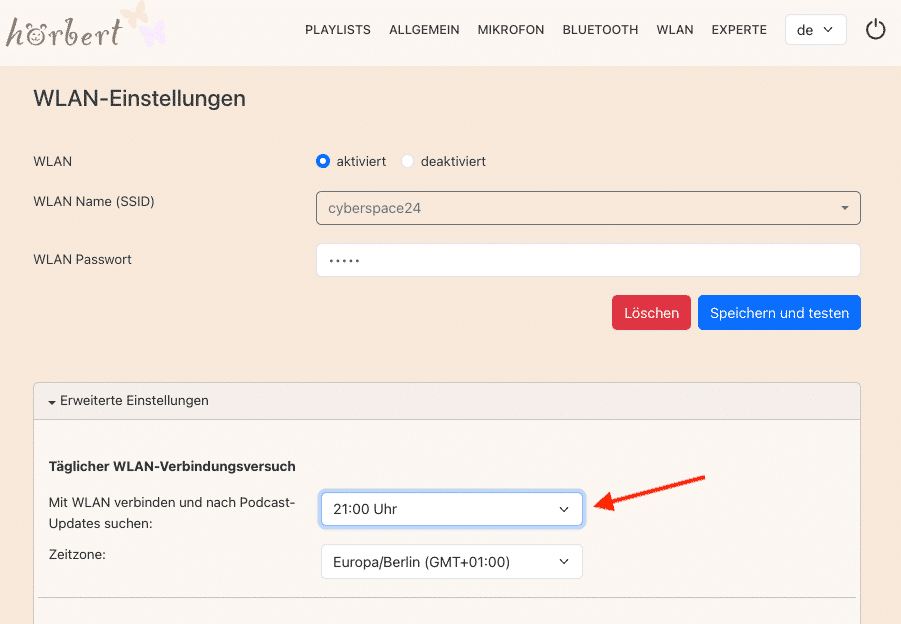
Activate and configure hörbert’s Wi-Fi function in the Wi-Fi menu item:
Select your Wi-Fi (2.4GHz only) from the list of available networks and enter your Wi-Fi password.
Tip: If you want to use hörbert as a podcast player: Set under “Advanced Settings” when hörbert should automatically search for new podcast episodes. Choose a time when hörbert isn’t being used, e.g. at night. hörbert won’t make any sounds when updating podcasts.

Then select “General” from the main menu and open the Advanced Settings there. Click on “CHECK for updates NOW” to bring your hörbert’s firmware up to the latest version.

Wait until the update has been carried out. You can recognise this when hörbert automatically exits the Browser Set Mode. Please don’t switch hörbert off and wait until it plays content through its speaker again.
Done! You’re now using the latest firmware with the current functions and bug fixes!
TIP: BETA VERSIONS
We’re constantly developing hörbert’s firmware further. We test new functions in BETA versions that aren’t yet stable or mature. If you’re curious, and you have a backup copy of your memory card, you can also have a look at these BETA versions:
To do this, download the BETA firmware as a file. You mustn’t unpack the downloaded file, as it’s simply loaded onto hörbert as a .bin file:
To do this, click on “Select file“, then search for the downloaded .bin file, and then click on “Update“.
hoerbert_firmware.binDone! From now on you can carry out future firmware updates quite easily via WLAN through the browser Set Mode.
Note: With an older hörbert model 2011 with a toggle switch for turning it on/off, recordings are not possible. You can have your hörbert upgraded by us, or upgrade it yourself with our DIY Upgrade Kit for hörbert 2011 if you want to make recordings with it.
You can either upgrade to the Butterfly firmware if you want to use the simple method via Browser Set Mode (see above). Or you can proceed as follows:
PayPal uses Google reCAPTCHA to help secure the payment process. (More Information)
You are currently viewing a placeholder content from Vimeo. To access the actual content, click the button below. Please note that doing so will share data with third-party providers.
More InformationYou are currently viewing a placeholder content from YouTube. To access the actual content, click the button below. Please note that doing so will share data with third-party providers.
More InformationYou need to load content from reCAPTCHA to submit the form. Please note that doing so will share data with third-party providers.
More InformationYou are currently viewing a placeholder content from Google Maps. To access the actual content, click the button below. Please note that doing so will share data with third-party providers.
More InformationYou are currently viewing a placeholder content from OpenStreetMap. To access the actual content, click the button below. Please note that doing so will share data with third-party providers.
More InformationYou are currently viewing a placeholder content from Mapbox. To access the actual content, click the button below. Please note that doing so will share data with third-party providers.
More InformationYou need to load content from reCAPTCHA to submit the form. Please note that doing so will share data with third-party providers.
More Information